


True Skate
4.012.59K Reviews
App Specs
- Version
- 1.6.9
- Updated On
- License
- $1.99
- Downloads
- 5,000,000+
- Developer
- True Axis
- Categories
- Sports
- Platform
- Android, iOS
Screenshots
 Analysis by AppCompare
I judge skateboarding games by how much they let me shape a run, not simply by how many tricks they put on a screen. True Skate gets that balance mostly right: it asks for deliberate finger control and patience, then rewards small improvements with satisfying, hands-on skating. It is a sports game from True Axis, and its appeal is less about a quick arcade rush than learning to make the board do what you intended.
A tactile game built around practice
The central attraction is the control scheme. Rather than choosing tricks from a menu, I use gestures to push, pop and guide the board. That makes the first sessions feel awkward in a useful way: a missed landing is often a cue to adjust my timing or direction, not just a random failure. Once the movements start to click, even a simple sequence can feel earned.
That learning curve also sets expectations. This is not the best pick if I want instant, effortless stunts or a game that plays itself while I watch. It suits short practice sessions, but I get more from it when I can focus on repeating a movement and experimenting with lines. For someone who enjoys mastering touch controls, that practice is the point.
Why its physics make a difference
The strongest part of the experience is the relationship between gesture and result. The board responds to how I flick and guide it, so I can work on a trick in stages: first getting the pop, then controlling the rotation, and finally trying to land cleanly. That makes experimentation feel more meaningful than tapping a single button to trigger a complete animation.
I also like that the environment gives me reasons to vary a run. A rail, ramp or open stretch invites a different approach, and choosing a route can be as enjoyable as landing a flashy trick. My practical tip is to start by repeating one manageable line rather than trying to string together everything at once. It makes errors easier to understand and gives me a clear sense of progress.
The board’s visible wear and its interaction with surfaces add character to that process. These touches do not change the basic controls, but they make the virtual setup feel less like a disposable icon. If you are new to skateboarding games, it helps to think of each attempt as practice rather than expecting every swipe to produce a perfect trick.
What to expect from parks and purchases
There is one skate park included to start with, while more parks can be bought. That distinction matters because the main value depends on whether you enjoy learning the controls and making your own challenges in the available space. I would spend time with the starting park before paying for more; if I’m still enjoying the feel of each run, extra locations have a clearer purpose.
Worth Reading Before You Choose

Flipboard Shows What News Apps Must Do Beyond the Feed

Switching to Android Auto Means Rethinking Your Driving Routine

Google Calendar Makes a Crowded Week Easier to Manage

Ludo King Makes the Most of the Minutes Between Plans

Baby Panda World Brings Quick Play to Modern Phones, but Its Game Library Feels Busy

ESPN’s Live Game View Makes Following Close Games Easier
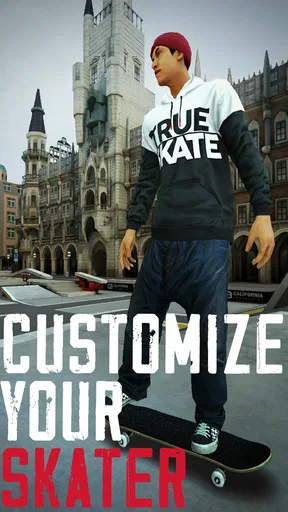
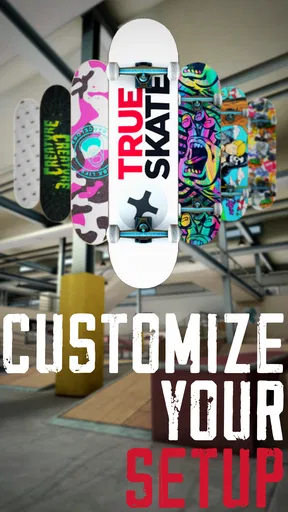
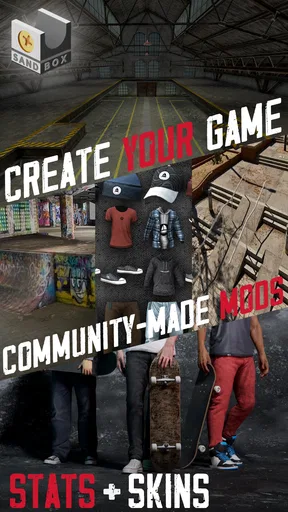
Personalizing the board gives the experience another small outlet for ownership, with options such as decks, wheels and grip tape. I see this as a pleasant extra rather than a reason to buy the game. The community element can also offer ideas by letting players share runs and tricks, though comparing results may be less appealing if I would rather skate at my own pace.
Who will enjoy it—and who may not
I’d recommend it to people who like physics-driven sports games, enjoy improving through repetition, or want a skateboarding game where touch input is central rather than decorative. It can work well in a spare moment: I might open it while waiting, pick one obstacle, and spend a few minutes trying to land the same line more cleanly. That focused goal makes the game easy to dip into without needing a long session.
On the other hand, anyone looking for a guided career, a steady stream of objectives, or uncomplicated button-based action may be happier with a more arcade-like skating game. The gesture controls demand attention, and the practice can feel fiddly before it becomes satisfying. Players who dislike optional purchases should also keep in mind that the starting park is only part of the available park selection.
On mobile, the comparison is less about which game has the longest feature list and more about what kind of skating feels good to you. Many sports games prioritize speed, objectives or simplified inputs. This one’s stronger when I want to control the board directly and test a trick line at my own pace. If that sounds like work rather than fun, a more forgiving arcade alternative is probably the better choice.
First Impressions and Gameplay
When you first dive into True Skate, it's hard not to be impressed by the attention to detail. The graphics are top-notch, with realistic skateboard models and beautifully rendered skate parks. The game draws you in with a tutorial that’s simple enough for beginners but still engaging for seasoned players.
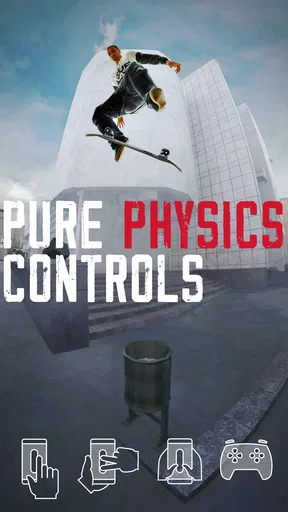
The controls are where the magic happens. You use your fingers to simulate the movements of a skateboarder’s feet, and it’s surprisingly intuitive. Flicking to ollie, dragging to push, and swipe gestures for tricks make it feel like the board is right under your feet. It might take a few tries to get the hang of it, but once you do, it’s incredibly satisfying.
The Realism Factor
The developers have nailed the physics engine. Every flick, grind, and flip feels authentic, which is a big win for those who crave realism. The game doesn’t hold your hand either. It’s challenging enough to keep you coming back for more, but not so difficult that you’ll want to toss your device in frustration.
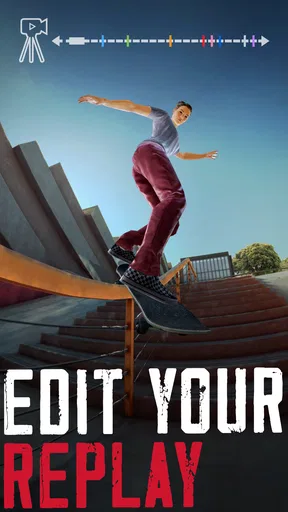
One of my favorite aspects is the way the skateboard interacts with the environment. The deck reacts to different surfaces, and you can see wear and tear appear on your board over time. It’s a small detail, but it adds to the immersive experience.
Exploring the Skate Parks
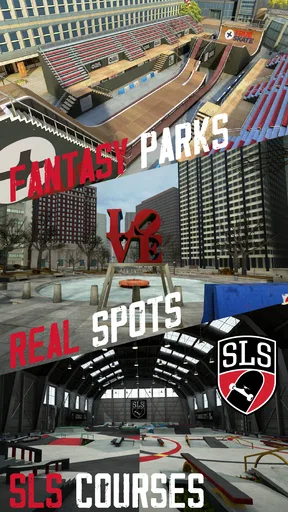
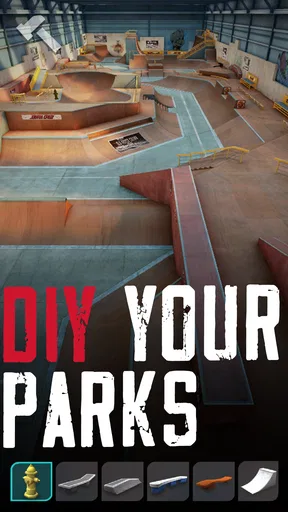
True Skate offers a variety of skate parks, each with its own unique features and challenges. From half-pipes to rails, the parks are a playground for creativity. You can spend hours perfecting a trick line or simply cruising around, soaking in the ambiance.
While the base game comes with one skate park, there are additional parks available for purchase. It’s a bit of a bummer that they aren’t free, but they’re worth the investment if you’re committed to getting the full experience.
Customization and Community
If personalization is your thing, True Skate has you covered. You can modify your skateboard with different decks, wheels, and grip tapes. It’s a fun way to express your style and make your board feel uniquely yours.
The game also features a community aspect where you can share your best runs and tricks. It’s a cool way to see what other players are doing and maybe get a few ideas for your next session. It can be a bit addictive trying to outdo others, but hey, that’s part of the fun!
Final Thoughts
Overall, True Skate is a fantastic simulation that will keep you entertained whether you’re a die-hard skater or just looking for a fun way to pass the time. The realistic physics, detailed graphics, and engaging gameplay make it stand out in the crowded world of mobile games.
Sure, there are some in-app purchases that might make you think twice, but the core game is solid enough on its own. If you’re ready to ollie, grind, and flip your way through some incredible skate parks, True Skate is definitely worth a download.
Price, compatibility and lasting value
The game costs $1.99, with optional in-app purchases ranging from $0.99 to $99.99 per item. I’d treat the purchase as an entry fee to a focused skating sandbox, not as a promise that every park or customization option will be included. The sensible approach is to decide whether the tactile skating itself holds your attention before considering add-ons; extra content has little value if the core gestures never feel comfortable.
Its current version is 1.5.106 and it requires iOS 7.0 or later. The age rating is Everyone, so it is broadly suitable as a family-friendly sports game, though younger players may need help understanding that optional purchases cost extra. True Axis released it on July 19, 2013, and the long-running presence is reflected in its audience: it has over five million installs, with an average rating of 4.1 from around 206,000 ratings and 13,000 reviews.
Small habits that make sessions better
For a more useful practice loop, I would pick one obstacle and keep the goal narrow: land a clean ollie, then add a turn or a rail only after the basic movement feels repeatable. This avoids the common trap of changing the approach after every miss, which makes it hard to tell whether timing or direction caused the problem. If a trick keeps failing, simplifying the line is often more productive than swiping harder.
I’d also separate experimentation from showing off. When learning a gesture, ignore score or comparison and focus on whether the board behaved as expected. Once it does, try linking the movement into a short route and save community browsing for when you want inspiration. That workflow makes the game feel less frustrating and gives shared clips a practical purpose: they can suggest a line or a trick to attempt, rather than turning every session into a contest.
How I’d make the buying decision
At $1.99, the initial cost is modest, but the optional purchases mean the total can grow if you want more parks or extras. I would not buy additional content simply because it is available. First, spend enough time with the included park to learn whether you enjoy setting your own targets; then consider an add-on only if you can name what you want from it, such as a fresh layout for experimenting with different lines.
The game’s 5M+ installs and 206K ratings suggest that its touch-controlled approach has found a broad audience, but popularity alone does not make the controls right for everyone. A player who wants a clear campaign or a constant checklist may find the open-ended practice thin. Someone who likes refining a movement until it feels right is much more likely to see the same openness as freedom.
My verdict
True Skate is at its best when I approach it like a pocket-sized practice space: choose a line, learn the timing, and enjoy the small satisfaction of landing a cleaner run. Its touch controls and physical feel give it a distinct identity among mobile sports games, while the limited starting park and optional paid extras are real considerations rather than minor footnotes.
I’d point a curious skater or patient sports-game fan toward it, especially if they enjoy experimenting without needing a formal set of goals. I’d steer away anyone who wants instant tricks, extensive direction or a completely frictionless arcade session. For me, the deciding question is simple: do you enjoy learning the board through your fingers? If yes, this is a rewarding little game; if not, a simpler skating alternative will probably be more fun.
Pros
- Realistic skateboarding physics enhance gameplay.
- Intuitive controls make tricks easy to learn.
- Stunning graphics with detailed skateparks.
- Customizable decks and wheels for personalization.
- Engaging missions and challenges increase replayability.
Cons
- Limited free content; many features behind paywall.
- Occasional bugs can disrupt gameplay experience.
- Requires internet connection for some features.
- Few multiplayer options for social gaming.
- In-app purchases can be expensive.
FAQs for True Skate
What is the core gameplay of True Skate?
True Skate is a skateboarding simulation game that focuses on realistic physics and controls. Players use touch-based gestures to control a skateboard, performing tricks and maneuvers in various skateparks. The game is praised for its lifelike skateboard dynamics, providing an immersive experience for skateboarding enthusiasts.
Are there any in-app purchases in True Skate?
Yes, True Skate includes in-app purchases. While the game offers a feature-rich experience from the start, players can purchase additional skateparks, decks, and customizations. These extras enhance gameplay but are not necessary for enjoying the core skateboarding experience, allowing players to choose how much they wish to expand their game.
How does True Skate handle realism in its gameplay?
True Skate is renowned for its realistic physics engine, which simulates the movement and behavior of a skateboard accurately. The controls mimic the actions of real skateboarding, requiring skill and precision. This focus on authenticity is a key selling point, appealing to both seasoned skaters and newcomers seeking a genuine skateboarding experience.
Can I play True Skate offline?
Yes, True Skate can be played offline. This is particularly beneficial for players who want to enjoy the game without an internet connection, such as during commutes or in areas with limited connectivity. However, certain online features, such as leaderboards and new content updates, will require internet access.
Is True Skate suitable for beginners?
True Skate offers a learning curve that can be challenging for beginners due to its realistic controls and physics. However, it provides tutorials and practice areas to help new players get accustomed to its mechanics. With patience and practice, beginners can gradually improve their skills and enjoy the full experience the game offers.


